What is Layer Splitter?
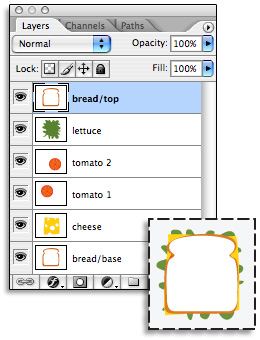
Layer Splitter is a drag-and-drop application that takes a multi-layered Adobe Photoshop or Adobe Illustrator file and separates each layer to its own file. Each separated layer preserves the dimensions of the original document, making layer alignment a snap. Layer Splitter can output Photoshop files either straight (unmatted) with a mask channel, or premultiplied on either white or black. It can read and write Photoshop files in Grayscale, RGB, CMYK, and LAB color modes, and can output them in Photoshop, PICT, TIFF, or Targa formats. Layer Splitter can name output files either by document and layer name ("Untitled_Layer1"), layer name only ("Layer1"), or by sequential numbers ("Untitled_001") in either ascending or descending order.
Why do I need Layer Splitter?
If you've ever tried to import a Photoshop file into a program with limited Photoshop support, you know what a pain it can be to separate and align layers. Some programs import each layer at its own size, rather than the size of the original document. Some programs can't properly import layer transparency, while other programs can't import Photoshop layers at all. Layer Splitter takes the transparency information from each layer and moves it to an alpha channel, while maintaining the original size of the source document, creating files that almost any graphics program can read. Layer Splitter also makes it possible to work with Illustrator layers in programs which otherwise wouldn't recognize them.
What's new in Layer Splitter 3?
Layer Splitter 3, currently available for Macintosh, now supports 16-bit and 32-bit Photoshop files, Unicode file names, and full PDF support for Illustrator files up to version CS3.
When's the Windows version of Layer Splitter 3 coming out?
Soon! The Windows version is in final testing, and we hope to have it released in the next few months. Until then, Layer Splitter 2 for Windows is available at a reduced price.
What are Layer Splitter's system requirements?
Layer Splitter 3 for Macintosh requires OS 10.4 or higher. On Windows, you'll need Windows XP Service Pack 2 or Windows Vista.
For older operating systems, Layer Splitter 2 is still available. Layer Splitter 2 for Macintosh requires OS 8.1 or higher, while the Windows version will run on Windows 95, 98, NT, 2000, ME, XP, or Vista.
What does Layer Splitter cost, and how can I purchase it?
Layer Splitter 3 costs $75 for either the Macintosh or Windows version. Bundled discounts for multiple versions of the software are available, as are site licenses. Layer Splitter 2 is available for $50. For existing Layer Splitter 2 users, upgrades to version 3 are available for $35. Please visit our
online store for complete ordering information.
How can I download a demo copy of Layer Splitter?
You can find demo versions of Layer Splitter on our
support page. The demo version of Layer Splitter is functionally identical to the release version, except that it overlays a series of dotted horizontal lines over Photoshop files, and a big red 'X' over Illustrator files.
Is Layer Splitter for the Macintosh Intel-native?
Yes, Layer Splitter for the Macintosh is a Universal Binary, and works equally well on PowerPC and Intel processors.
What is
Charo's real name?
Maria Rosario Pilar Martinez Molina Baeza.